A Common Engineering Problem
Maybe you’ve been there: you find yourself given access to a giant, half-documented store of data, and you’re not entirely sure what you even have. Even worse, maybe you’ve never seen most of it before! Your unfortunate task is to find the needle in the haystack on a tight deadline. Connections are fragile, and you can’t risk altering any of the data, but you need answers fast. Where do you begin, and what can you realistically hope to achieve?
A tough situation to be sure, but one that is fairly common. Here at Clear Fracture we found ourselves running into this too. That’s why we developed Investigate, a new feature available in Belvedere. Investigate is a read-only research agent that answers questions about your data, grounded in your catalog.
How Investigate Can Help
To start digging into a task like this one, normally you at least need to have an idea of what databases and tables might be available, along with their schemas. Lineage is likely to play a role too, so that you can understand both upstream and downstream data flows around a particular asset.
With Investigate, you have the luxury of letting an agent figure those things out and document them for you. Instead of starting with SQL queries, you start with plain English:
“What’s the overall sentiment about our product launch over the past two weeks?”
“Calculate expected ARR from our top 15 customers over the last quarter, using only silver-certified or better data assets.”
“Compare the revenue of the top 10 companies in our EDGAR database through the period ending Dec 31, 2025.”
Let’s take that last question as an example. What might Investigate do with that?
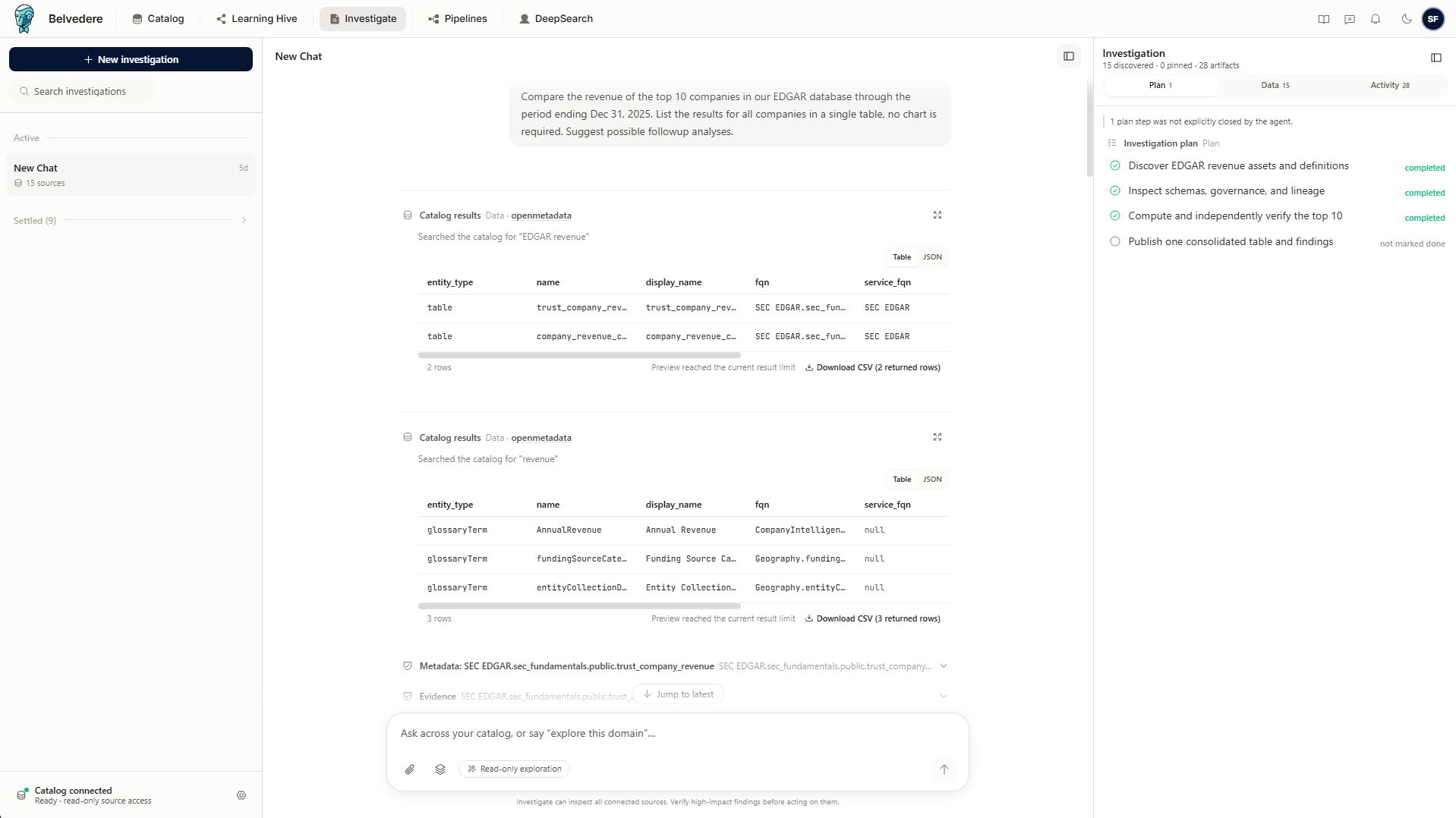
The first thing the agent does is create a plan, which you can see at the top right of the screenshot in the Investigation pane. This plan is just an outline of steps that the agent thinks it will need to take to answer your question, but it’s not static - it can change in reaction to what it finds, or additional information that you provide. The agent also provides a list of relevant data sources as it finds them, as well as details on queries it performed and evidence it gathered to support its answer.
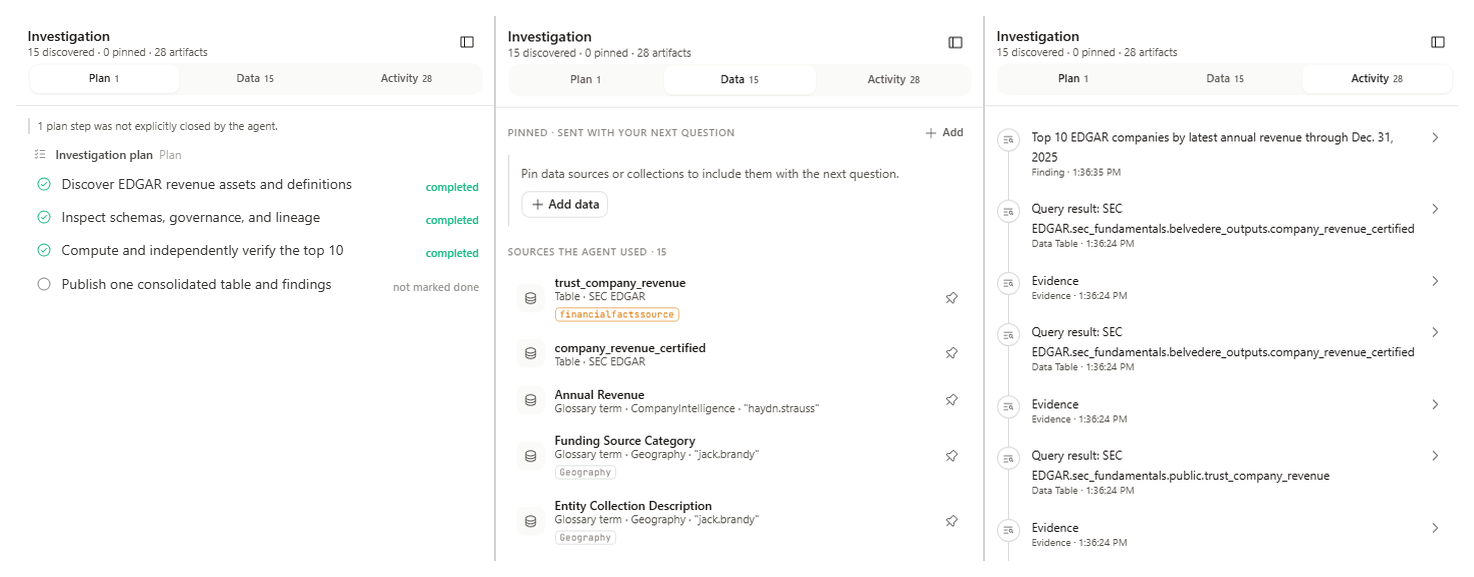
As the analysis proceeds, you can provide appropriate guard rails as needed along the way. For each question, you can specify catalog assets and RAG collections that the agent should consider. You can set numeric limits too - number of files to consider in an answer, rows in a table, file sizes, and more - to make sure the agent isn’t overextending.
Ultimately, the Investigate agent synthesizes its answers across different available resources and can perform calculations where necessary. Perhaps most importantly, it provides explicit evidence for what it found directly from the catalog, so there’s no model hallucination to worry about. You get a straightforward answer backed up by actual data. If you want to continue the analysis, Investigate will suggest some follow-ups for you to explore.
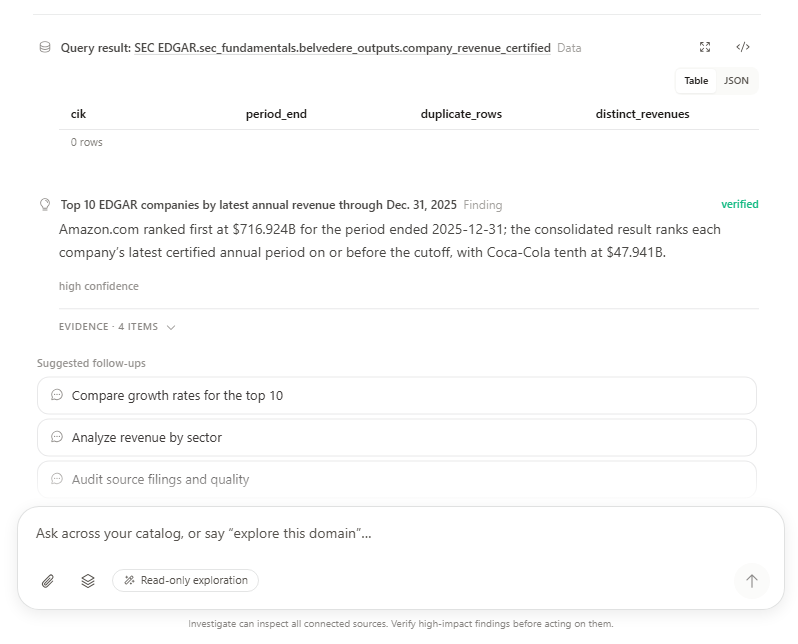
In this example, since I’ve asked a fairly simple question, I get a no-nonsense text based answer, clearly marked as the verified solution. But had I needed it, I could also ask for several different types of results, depending on the source data available. This might include comparative charts, maps, lineage pipelines, image or PDF previews, or text in specific formats (like JSON or CSV). Just tell Investigate what you need and let it handle the rest. And don’t be concerned about modifying any of the data in your catalog or source assets, because the agent is designed from the start to be read-only. It’s not going to make surprise changes to your data or connections while it’s digging for answers.
For the initial release, Investigate currently works with a number of different asset types:
PostgreSQL tables, including questions across multiple tables
S3 containers and bounded previews for PDFs, images, and text files
Public live REST operations described by cataloged OpenAPI definitions
Catalog metadata and lineage
RAG collections and files uploaded into the per-user Investigate uploads collection
And of course, we’re working on adding more all the time!
Dive Into Your Data With Confidence
Investigate is built to give you reliable answers about your data, no matter its size or complexity, in the format you specify. It’s all about letting you make quicker decisions without the struggle of manually digging through the unknown. And it’s just one of the agentic tools Belvedere offers to make sense of the data in your catalog.
Want to learn more? Contact us for a demo and let us walk you through what Belvedere has to offer.